Manage every client's SEO from one dashboard.
Meridian consolidates all your clients' GA4 and Search Console data, generates AI meta recommendations, tracks AI Overview visibility, and publishes approved changes — no SSH, FTP, or CMS logins required after a one-line install on each site.
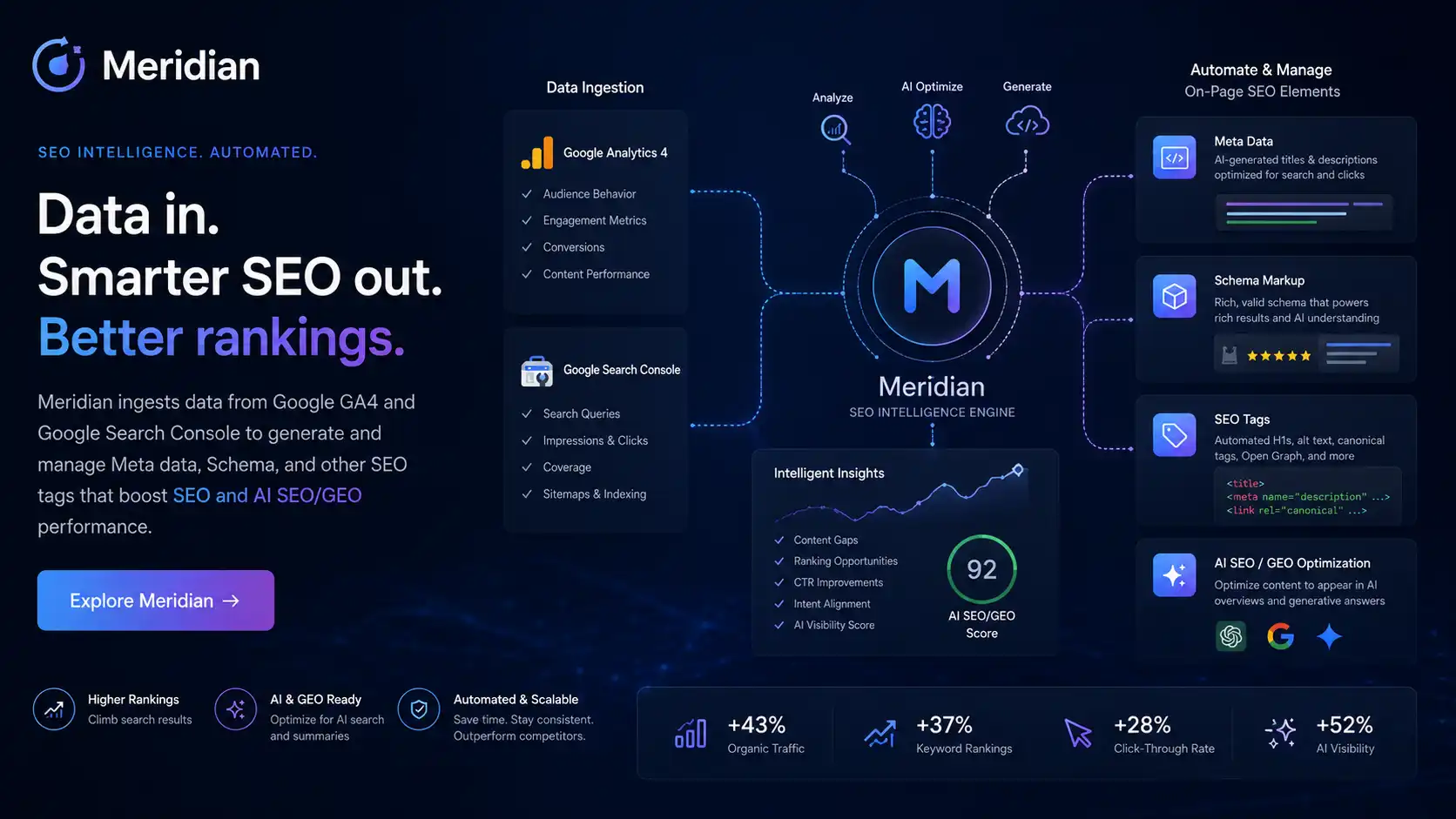
You're spending half your time on access and navigation, not actual SEO.
Ten clients means ten GA4 logins, ten Search Console properties, and ten separate hosting environments every time a meta tag needs updating. That's administration, not SEO — and it's costing billable hours every month.
- Log into each client's GA4 separately
- Log into each client's Search Console separately
- SSH, FTP, or CMS access to reach the meta tags
- Edit page by page without ranking data in front of you
- Repeat for every other client this month
~2 hours per client. ~20 hours for 10 clients.
- Open Meridian — all clients' data is already there
- AI has already generated recommendations overnight
- Review, edit where needed, approve
- One-click publish via the linkscript already in each header
Same work. 20–40 minutes across all clients.
One install per client. Everything else is in your dashboard.
-
1
Connect once per client
Add one line of PHP to each client's site header. Link their GA4 and Search Console via a single service account. That's the only time server access is needed.
-
2
AI analyses overnight
Pages are crawled, top GSC keywords pulled, and AI meta titles and descriptions generated — tuned to what's already ranking for each client, with per-client business context you set.
-
3
Review and approve
All pending recommendations across every client in one view. Edit inline, approve, or reject. Nothing goes live until you sign off — unless you've set a client to auto-approve.
-
4
One-click publish
No SSH. No FTP. No CMS login. The linkscript already in each client's header handles delivery. Automatic rollback fires if CTR drops after a change.
Your installation. Your brand.
Meridian is installed on your own domain — for example, seo.youragency.com — under your agency's name and branding. No LCNTech branding appears anywhere clients can see.
All client data lives in your installation. Role-based access means each client sees only their own data. One license covers your entire portfolio with no per-seat or per-client fees.
Everything an SEO consultant needs. Nothing they don't.
AI Meta Optimisation at Scale
Character-accurate titles (50–60 chars) and descriptions (150–160 chars) generated from each client's real GSC keyword data. Stream AI reasoning, edit inline, one-click publish, instant rollback on CTR drop.
AI Overview Visibility Tracking
Weekly sampling of each client's top keywords classifies each result as cited, captured, or absent. Per-keyword detail reveals which competitors Google is citing in AI Overviews instead of your client.
Answer Engine Optimisation (AEO)
Every page scored on AEO and GEO readiness. Meridian generates FAQ entries and serves them as FAQPage JSON-LD via the linkscript — one of the strongest signals for AI Overview citation.
Zero Ongoing Server Access
One line of PHP in the site header. After that, every edit, approval, and publish happens inside Meridian. No standing credentials on client servers, no risk of accidental breakage.
Cannibalization Detection
Surfaces pages competing for the same query, identifies which Google currently favours, and recommends an action — concrete, structured findings for client meetings without a manual audit.
Keyword Quick Wins
Pages ranking positions 11–20 with high impression volume are the fastest meta wins available. Meridian surfaces them automatically per client. Zero-click keywords are flagged as immediate candidates.
Per-Client Automation Controls
Manual, semi-automatic, or fully automatic per client — with AI confidence thresholds and CTR-drop rollback. Scales from one client to fifty without scaling your personal workload.
Uptime Monitoring
5-minute checks across every tracked domain, email alerts on outage and recovery, smart cooldown, and real-time dashboard. No separate monitoring subscription needed.
AI Data Chat
Plain-English questions answered directly from your GA4 and Search Console data — across your whole portfolio or for a single client. No spreadsheets, no context-switching.
Four time-series methods. Defensible numbers, not opinions.
One daily data pipeline answers the questions a normal dashboard can't: which cycles repeat, when levels actually shifted, what predicts what, and whether your interventions caused the change.
Frequency Analysis
STL decomposition and Fast Fourier Transform identify dominant cycles in your GSC and GA4 metrics, with a 4-component confidence score per cycle peak. Concurrent anomaly day detection with a calendar heatmap surfaces the exact dates that were statistical outliers. The top 20 URLs per domain are ranked by composite meta-rewrite priority — a 0–1 score combining impressions, CTR gap, position, and trend direction.
Change-Point Detection
The PELT algorithm finds the exact dates a metric's level stepped up or down — the shifts that get hidden inside smoothed trend lines. Each detected change point is reported with its date, direction, before/after means, percentage delta, and effect size in standard deviations. Automatically annotated against a bundled calendar of known Google core and spam updates, so you can separate algorithm impact from your own work.
Cross-Correlation
FFT-based lead/lag analysis between ranking and traffic metrics on STL residuals, with Bartlett-threshold significance testing. Tells you which metric predicts which, and by how many days. GSC reporting-delay artifacts are flagged automatically so they don't distort the lead/lag calculation.
Causal Impact — did our action cause it?
CausalImpact-style synthetic-control measurement. When you publish a meta rewrite, Meridian builds a counterfactual from peer client domains that did not have an intervention on that date, fits an OLS model on the pre-period, and projects what the domain would have done without the change. Reports actual vs counterfactual, cumulative lift percentage, and a 95% confidence interval — the kind of evidence you can put in a client report. Defaults the intervention date to your first published meta version.
One license covers your whole client base.
Every feature in every plan. The only difference is how many client domains you manage.
All features included. Right for consultants managing a small number of clients who want to run a full professional SEO workflow without the manual overhead.
Get StartedAll features included. Built for agencies managing a client portfolio where the time saved across 10 clients pays for the license many times over each billing period.
Get StartedAll features included. For larger agencies or operators managing a significant domain portfolio. Contact us for a quote tailored to your volume.
Get a QuoteAll plans include a 7-day money-back guarantee and full setup assistance. If Meridian doesn't fit your practice, contact us within 7 days for a full refund.
What SEO professionals usually ask.
Do I need server access to each client's site?
Only once, for the initial setup. You add a single line of PHP to the client's site header — that is the only time server access is needed. After that, all meta editing, approval, and publishing happens inside Meridian. No further SSH, FTP, cPanel, or CMS logins are required for ongoing work.
What is the difference between SEO and AEO?
SEO (Search Engine Optimization) is about traditional ranking and clicks — your client's page appearing in Google's blue-link results. AEO (Answer Engine Optimization) is about being the source Google's AI Overviews, voice search, and AI assistants quote directly. The two require different signals. Meridian scores and improves both.
How much time does Meridian save per month?
Most consultants spend 1.5–2 hours per client per month on meta tag management manually — mostly on access and navigation. Meridian consolidates that into a single 20–40 minute session across all clients. For a 10-client portfolio that is typically 15–20 hours returned to billable work per month.
Will Meridian update client sites without my review?
That is configurable per client. Manual mode: nothing changes without your explicit approval. Semi-automatic: recommendations queue for your review before going live. Fully automatic: recommendations publish without intervention, with a configurable AI confidence threshold and automatic rollback if CTR drops after a change. Most consultants start on manual and move trusted clients to semi-automatic.
What if a client's site isn't PHP?
The linkscript that handles one-click publishing needs PHP in the client's header. For non-PHP sites, you apply meta updates manually from Meridian's recommendations or via API. Data consolidation, AI recommendations, cannibalization detection, and keyword quick wins all work regardless of the client's stack.
Ready to get your client portfolio under control?
Call or email us and we'll walk you through the setup. Most agencies are running their first client within a day of signing up.